 Suitaar news
Updates
Maintenance
Posts
suitaar.com
posts 26 October 2026
A dead man's switch for Prometheus, without Opsgenie
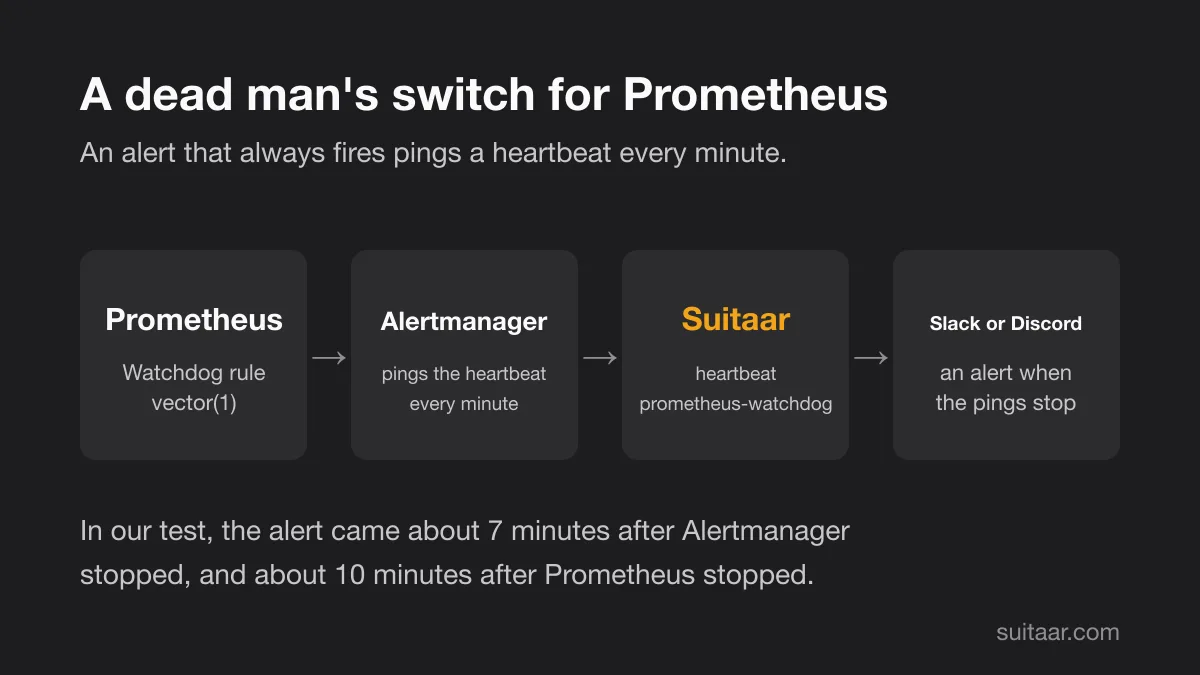
Prometheus watches your systems. But when Prometheus or Alertmanager stops, the alerts stop too, and a quiet channel looks like everything is fine. Many teams use an always-firing Watchdog alert and a heartbeat in Opsgenie to catch that. When Opsgenie stops on 5 April 2027, that check needs a new home.
Suitaar is our product. Its heartbeats work for this, with the same idea.
1. Add a heartbeat
On a source page in Suitaar, add a heartbeat prometheus-watchdog with an interval of 5 minutes and a grace time of 2 minutes.
2. A rule that always fires
groups:
  - name: meta
    rules:
      - alert: Watchdog
        expr: vector(1)
3. Send it to the heartbeat
Put this route first under route.routes in Alertmanager:
route:
  routes:
    - matchers: [alertname = "Watchdog"]
      receiver: suitaar-heartbeat
      group_wait: 0s
      group_interval: 1m
      repeat_interval: 50s
receivers:
  - name: suitaar-heartbeat
    webhook_configs:
      - url: https://suitaar.com/api/og/v2/heartbeats/prometheus-watchdog/ping
        send_resolved: false
        http_config:
          authorization:
            type: GenieKey
            credentials: <your Suitaar key>
You can also keep the key in a file, with credentials_file.
With these timings, Alertmanager pings each minute. A ping answers 202 also for a name that does not exist, so check “Last ping” on the source page after 2 minutes.
What happens when something stops
- Alertmanager stops, or its network to Suitaar fails: in our test, the alert came about 7 minutes after the last ping.
- Only Prometheus stops: Alertmanager resolves the Watchdog alert some minutes later, and the pings stop. In our test, the alert came about 10 minutes after Prometheus stopped.
The alert goes to the Slack or Discord channel of the source. The first ping after the restart closes it.
Setup steps: guide, a dead man’s switch for Prometheus. The rest of the Alertmanager setup: Moving Alertmanager off Opsgenie by changing one URL.
The free plan stays free after the beta: 3 channels, no payment details.