 Suitaar news
Updates
Maintenance
Posts
suitaar.com
posts 26 October 2026
Sentry errors in the same channel as your other alerts
Many teams used Opsgenie to put everything in one place: Sentry errors next to Alertmanager, Grafana and uptime alerts. Sentry’s Opsgenie integration sends only to Opsgenie’s own servers, so that stops when Opsgenie stops on 5 April 2027.
First, a fair point: if Sentry is your only source, Sentry’s own Slack or Discord app may be all you need. It can resolve, archive and assign issues in Sentry. Suitaar (our product) is for teams that want Sentry in the same stream as their other alerts, with one set of grouping and flood control.
The setup
- In Sentry: Settings → Integrations → Custom Integrations → new Internal Integration.
- Webhook URL:
https://suitaar.com/api/v1/webhooks/sentryio/<source id>. The source page in Suitaar shows this URL with its id. - Permissions: Issue & Event: Read (Read & Write if Suitaar should resolve issues, see below). Webhooks: tick Issues.
- For alert rules too: turn on Alert Action, and add “Send a notification via” your integration to an issue or metric alert rule.
- Save. Then copy the integration’s Client Secret into Suitaar, on the source page under Webhook signing secret. Suitaar then accepts only requests signed by Sentry.
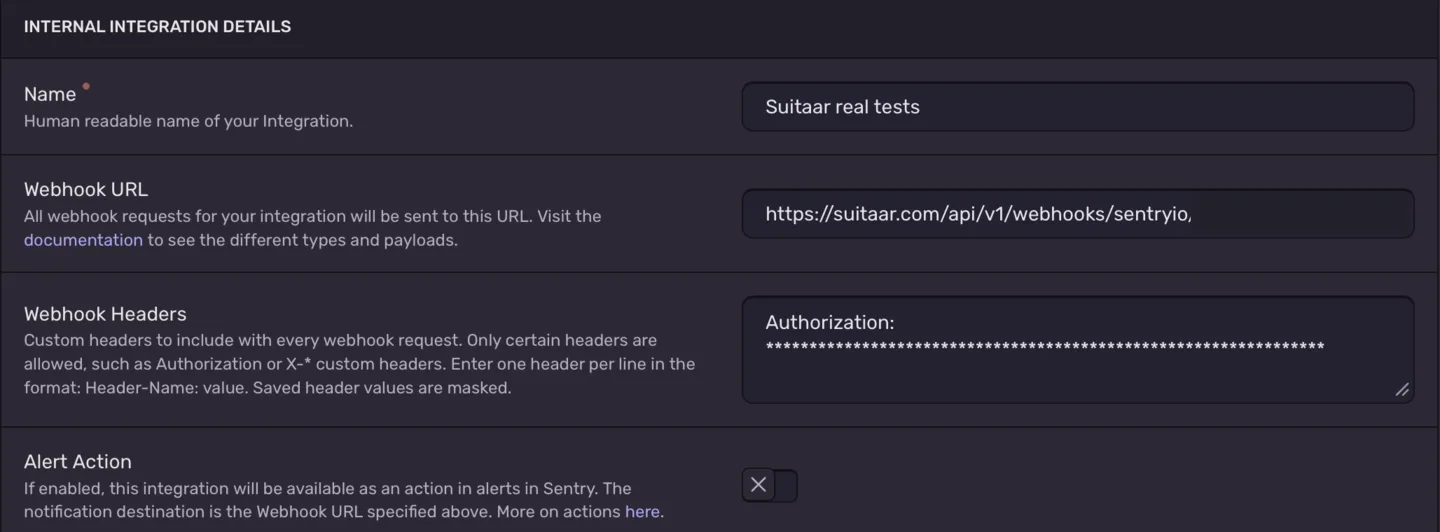 The Webhook URL comes from your source page and ends with your source id. The Authorization header is only for the key method; with the recommended signature, leave Webhook Headers empty.
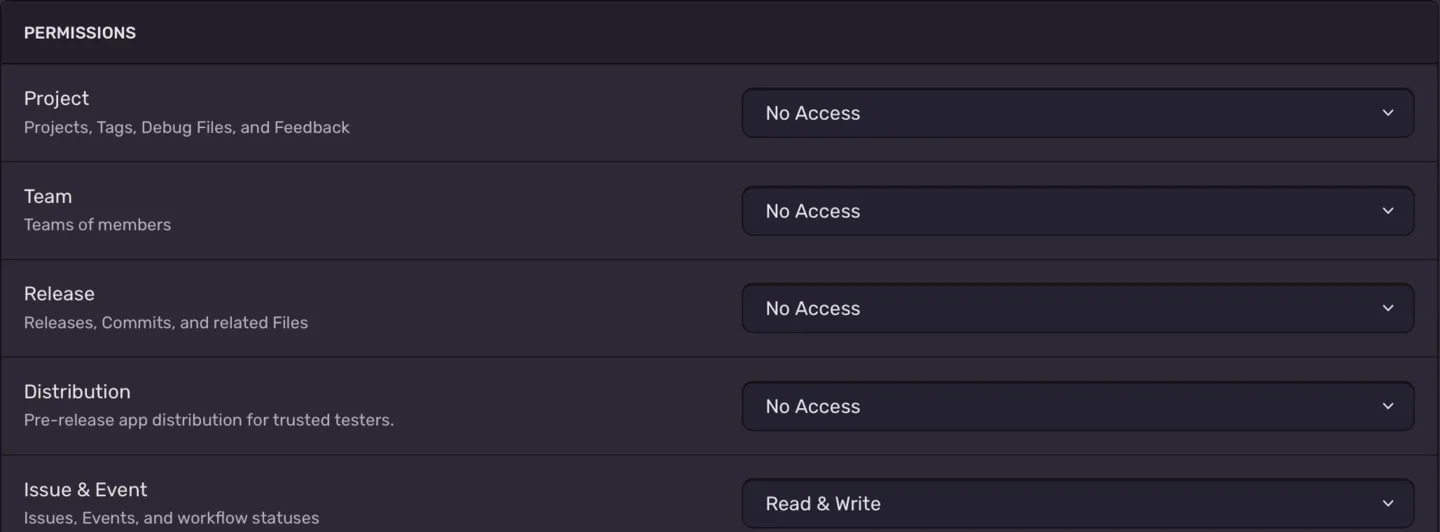 Permissions: Issue & Event: Read & Write here, because this setup also resolves issues in Sentry. Read is enough without that. The others stay No Access.
 Webhooks: tick Issues.
What happens
- A new issue opens an alert. Resolved or ignored closes it. Unresolved opens it again.
- An alert rule for the same issue adds a repeat to that alert, so a noisy issue stays one alert with a count.
- A metric alert opens on critical or warning, and closes on resolved.
- The priority comes from the level: fatal P1, error P2, warning P3, info and debug P4.
Suitaar keeps the title, the culprit, the project, the environment, the level and the link. It never keeps the event’s user, request or stack trace.
Optional: close here, resolve there
Copy a token of the integration into the source page, under Sentry token. Then closing the alert in Suitaar also resolves the issue in Sentry. This works on sentry.io.
We test Sentry end to end on production: a real issue opens an alert in Slack and Discord, the Ack shows in both, and the close resolves the issue in Sentry.
It works on Sentry’s free Developer plan too, in both directions: alerts from Sentry, and a close in Suitaar resolves the issue.
Setup steps: guide, Sentry.
The free plan stays free after the beta: 3 channels, no payment details.