 Suitaar news
Updates
Maintenance
Posts
suitaar.com
updates 1 November 2026
Telegram alerts, and one page for your teams
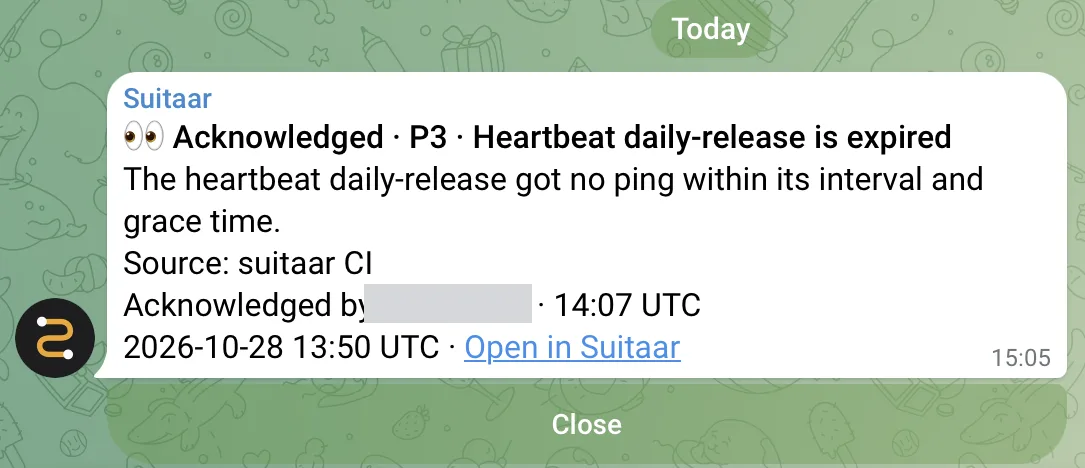
Suitaar now sends alerts to Telegram, in your own chat or a group, with Ack and Close buttons. It works on the free plan, like Slack and Discord. This release also brings one page for your teams, Telegram in the setup, and a clearer warning when Suitaar shows you a key.
Telegram
- Your own chat: on Destinations, under Add a destination, choose Telegram, then Connect your own chat. Telegram opens; tap Start.
- A group: choose Telegram, then Connect a group, and choose the group in Telegram. The bot @SuitaarBot joins it.
Any member of your team can connect a chat. Each alert is one message with its title, priority, source, count and a link. Repeats and Resolved edit that message, so a noisy alert stays one message.
Under an open alert are two buttons:
- Ack: anyone in the chat can press it. The alert’s timeline shows their Telegram name.
- Close: only a member of your team who linked their Telegram account on the Account page (Link my Telegram account, under Sign-in methods). If new failures came in, press it a second time to confirm.
To stop, send /stop to the bot, or remove the bot from the group. Each channel to a Telegram chat counts toward your channel limit, as for Slack and Discord. Telegram does not break through Do Not Disturb: for alerts at night, pair Suitaar with an on-call tool.
Setup steps: guide, Telegram.
Telegram in the setup
After you sign in for the first time, step 1 of the setup now offers Slack, Discord and Telegram. Choose Telegram, tap Start in Telegram, and the setup goes on to step 2.
One page for your teams
The Team page is now the one place for teams: see your teams, switch to another team, make a new team, and manage members and invitations. When you accept an invitation, Suitaar switches you into that team.
Smaller changes
- When Suitaar shows a new key, a box says: “Copy this key now. Suitaar shows it only once.” Click or tap the key to select it.
- The setup guide shows pictures for each step to get a Slack or Discord webhook URL.
- You can now also sign in with Slack: the sign-in page has Sign in with Google, Sign in with GitHub and Sign in with Slack. New here? The same buttons make your account and your team.
The free plan stays free after the beta: 3 channels, no payment details.