 Suitaar news
Updates
Maintenance
Posts
suitaar.com
posts 26 October 2026
Grafana's Opsgenie contact point after Opsgenie shuts down
Opsgenie stops on 5 April 2027. If Grafana Alerting sends to Opsgenie through a contact point, you can keep that contact point. Suitaar speaks the Opsgenie Alert API, so Grafana does not notice the difference. Suitaar is our product; this post shows the change.
The change
Open the contact point of the type OpsGenie, and change two fields:
- Alert API URL:
https://suitaar.com/api/og/v2/alerts - API Key: the key of a Suitaar source
Then open Optional OpsGenie settings and tick Auto close incidents. Grafana then closes the alert in Suitaar when the alert is resolved. It is off by default.
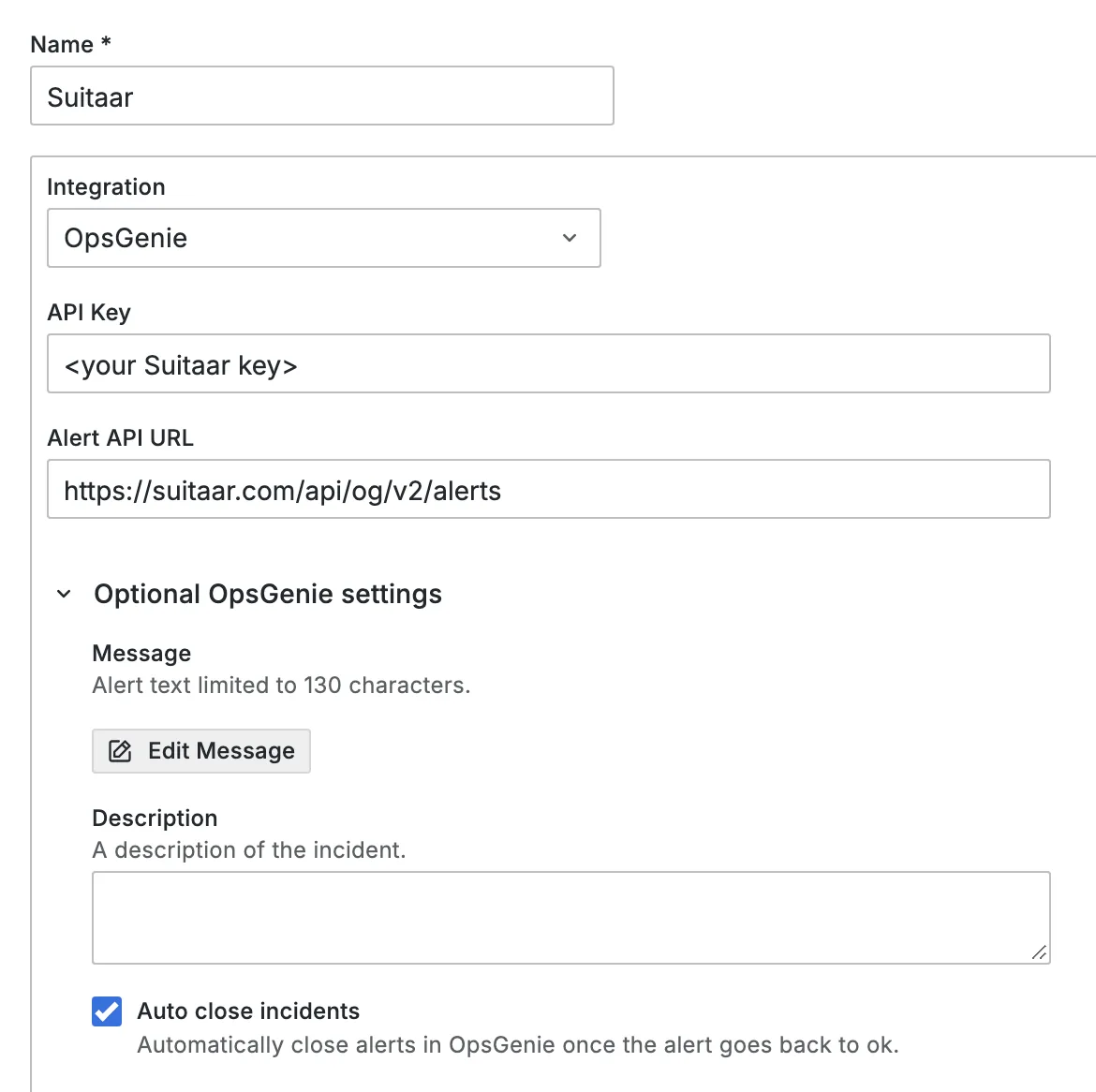 Grafana: the OpsGenie contact point with the Suitaar URL. Tick Auto close incidents; it is off by default.
You make the source on the Suitaar dashboard and connect it to a Slack or Discord channel. All alerts of that contact point then go to that channel.
What your channel gets
- A firing alert becomes one alert in Suitaar and one message in the channel.
- Repeats of the same alert stay one alert with a count. Slack gets a short summary at the end of the group window; Discord edits the first message.
- A resolved alert closes the alert, and the channel shows it as resolved.
- A burst of new alerts in one channel becomes 10 messages and one summary in that minute, and a message when the burst is over.
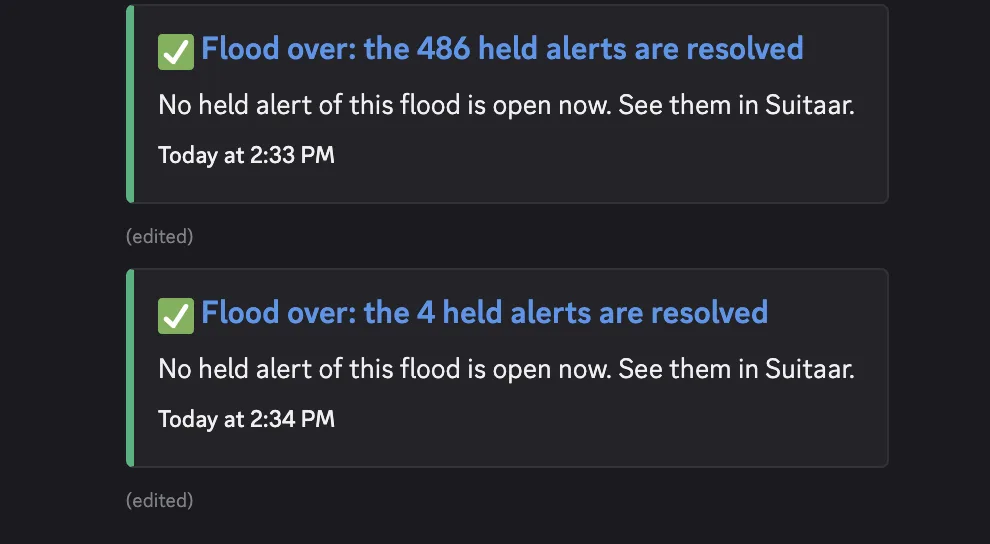 When a flood is over, the channel says so. The held alerts stay in the Suitaar dashboard.
If Suitaar cannot be reached for a short time, Grafana sends the alert again at its next group interval, so the alert comes late, not never.
Try it next to Opsgenie first
You can add the Suitaar contact point next to the Opsgenie one and send to both from your notification policy for a while. When the channel shows what you expect, remove the Opsgenie contact point.
What is different from Opsgenie
Suitaar is not an on-call tool: no schedules and no phone calls. It has one escalation step for each channel: if nobody acknowledges or closes an alert in the time that you set, Suitaar sends it to a second destination, one time. You acknowledge and close an alert on its page in the Suitaar dashboard; buttons in Slack and Discord come later.
We test Grafana end to end on production: a real alert from Grafana through Suitaar to Slack and Discord, then acknowledged and closed.
Setup steps: guide, Grafana. You can also try Suitaar without an account.
The free plan stays free after the beta: 3 channels, no payment details.